



When everyone on the preconstruction team is working from different numbers, there is no right one.
And as AI starts making its way into preconstruction workflows, that problem gets more expensive. You can't synthesize what you can't standardize. Without clean, centralized, historical cost data, AI has nothing real to work with.
Ediphi’s Unit Price Catalog has always been that foundation. Every product standardized, every region priced, every project's cost data feeding back into one place your whole team can trust.
Today, we made it better.
Our product manager Sahil walks you through it in two minutes 👇
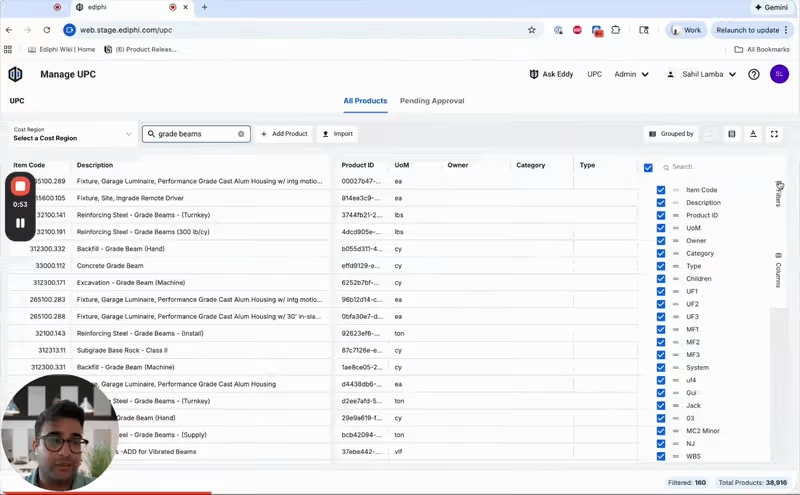
Read on for more details about the new release.
The nucleus of the atom
The UPC (short for Unit Price Catalog) is Ediphi's centralized database for tracking the cost of every product across every scope of work in a project.
It’s what CEO Dustin DeVan considers "the nucleus of the atom". Estimators can see regional cost differences, pull historical pricing on any line item with a right-click, and access that data in context.
Every estimate you build draws from the same well.
With the UPC at the center of your workflow, teams can:
- Track pricing discrepancies across all active projects in real time
- Compare current bids against historical data from past work
- Apply regionally specific pricing (so a Denver estimate doesn't get built on Phoenix numbers, you know?)
- Surface average and median pricing, factor in escalation, and identify outliers before they become problems
- See every project that a product has been used on and every name it's ever traveled under
What’s new in the UPC?
The UPC has been reimagined. It has the same power you've always relied on, but we’ve put it in a modernized grid that matches the speed and feel of the rest of the app.
Here's what's changed specifically.
A modernized grid that moves as fast as you do
The grid’s been updated completely. Row density controls let you see more or less at once. Autosizing columns mean you're not squinting at truncated text. Expand and collapse rows to focus on what matters.
As a product, it’s cleaner, more responsive, and designed to handle large product catalogs without delays.
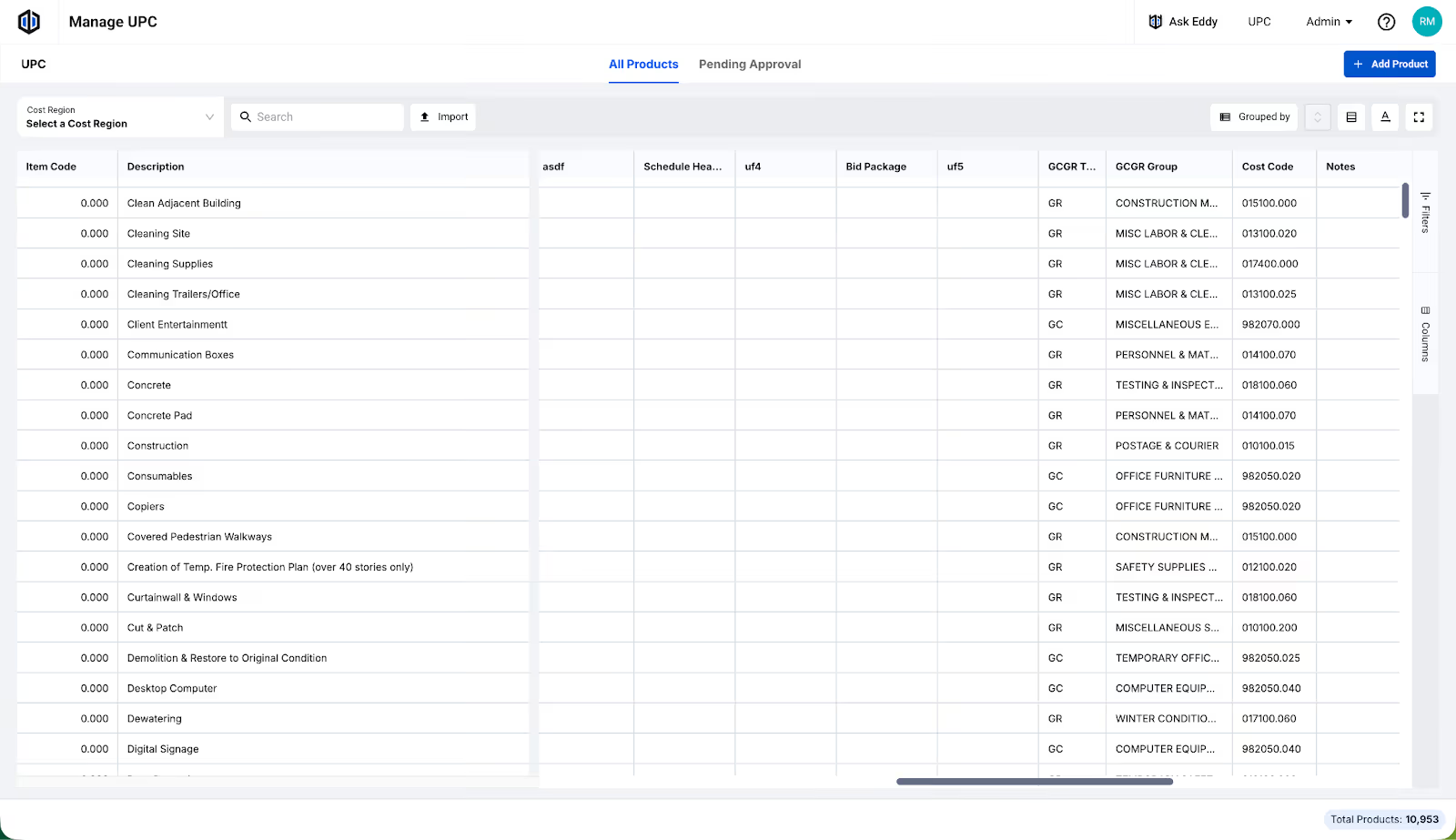
Search, filter, and find what you need instantly
Finding a specific product in a large catalog takes a lot of scrolling. The new UPC includes a search function so you can find any product or regional unit cost in seconds.
Filters help with classification, too. Sort by any column and group products by sort code to see your catalog organized the way your team actually thinks.
Toggle columns on or off
Most teams don’t need to see every column all at once, so we’re giving you the control to decide what's on screen. Toggle individual columns on or off using the new Columns panel so your admins can work in the view that's relevant to them.
Insert and duplicate products inline
Small change: you can right-click any row to insert a new product inline or duplicate an existing one. It makes catalog management dramatically faster when you're adding multiple items at once.
Refreshed ‘Add Product’ & ‘Pending Review’ modals
There’s two big model improvements:
- The ‘Add Product’ modal has been updated with a cleaner modal that clearly separates required fields from optional ones.
- The ‘Pending Review’ view — used by admins to approve line items requested for the Central UPC — has also been refreshed, making the approval workflow faster and easier to navigate.
Sort UPC products your own way
Sort the entire product catalog by any column — name, classification, Product ID, unit cost, and more. Admins, this means you have full control over how your team views and manages the UPC at any given moment, for any given project.
Getting started
The brand new UPC Grid is live for all Ediphi users today. Global Admins can access it directly from the UPC button at the top of the page. If you're new to the UPC or want a walkthrough of everything that's changed, check out the resources below.
Questions? Reach out to our support team — we're always happy to help.
— The Ediphi Team

.svg)






.svg)
.svg)